
Describe the app you need. Then run your work in it.
Tabulata builds a database app for your shop, your properties or your own records from a conversation. You get lists, forms, totals and automations that fit how you work, and all of it stays in a folder on your Mac.
How it works
Say what you keep track of.
Describe it
Tell the agent about your work in your own words: what you record, what belongs to what, and what should happen next.
I repair bikes. Each job has a customer, a bike, the work done with prices, and a status from new to done.
It builds, a fact at a time
The agent doesn't write code. It adds one small, checked fact about your business at a time: a table, a field, a status, a rule. Tabulata draws the app from those facts, so what you see is always in step with what was said.
Use it, and keep changing it
Enter records, search them, add them up. When the work changes, say so, and the app changes with it. Every change is kept in the history, and you can undo it.
Records
Forms and lists that fit the work.
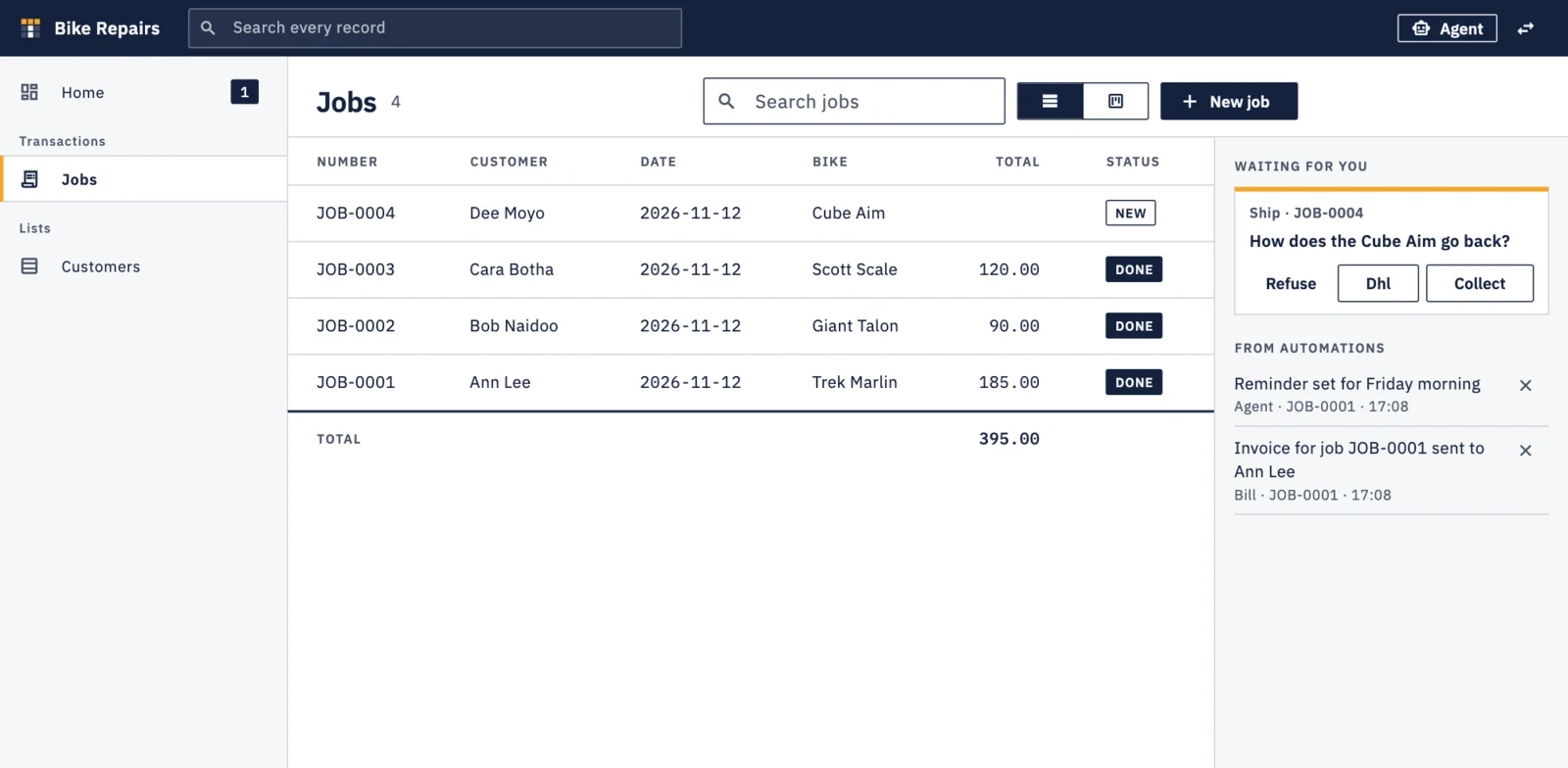
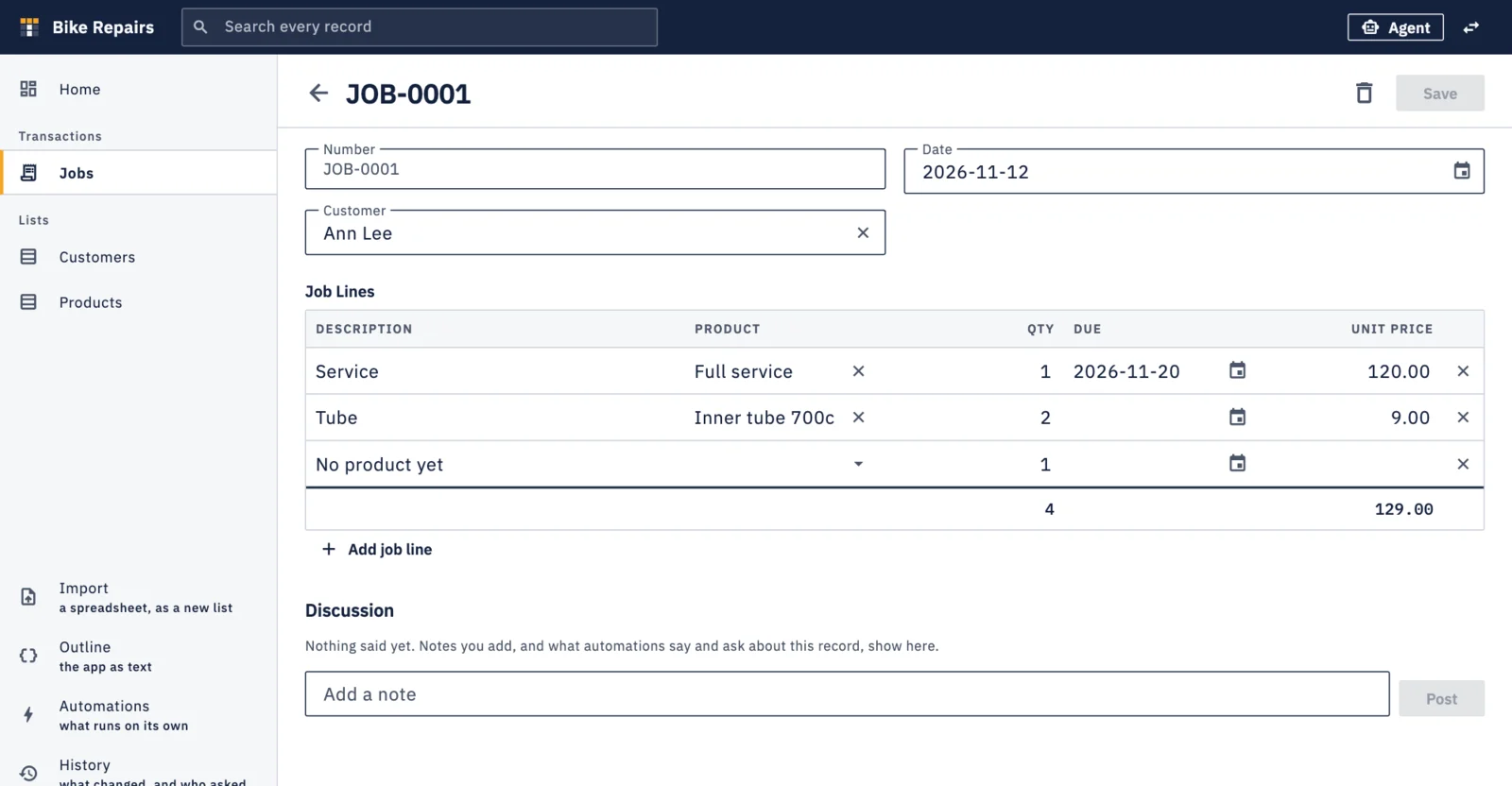
A job with its line items, a tenancy with its payments, a book with its loans. Tabulata gives each kind of record a list, a form and the lines beneath it.
- Line items are edited in place, with totals for money and quantities
- Pick a customer or product from a searchable list, or add one on the spot
- Statuses, with a board that groups records by where they stand
- Attach files and pictures to a record
- Bring in what you have from a spreadsheet (CSV)
The agent
Change the app by asking.
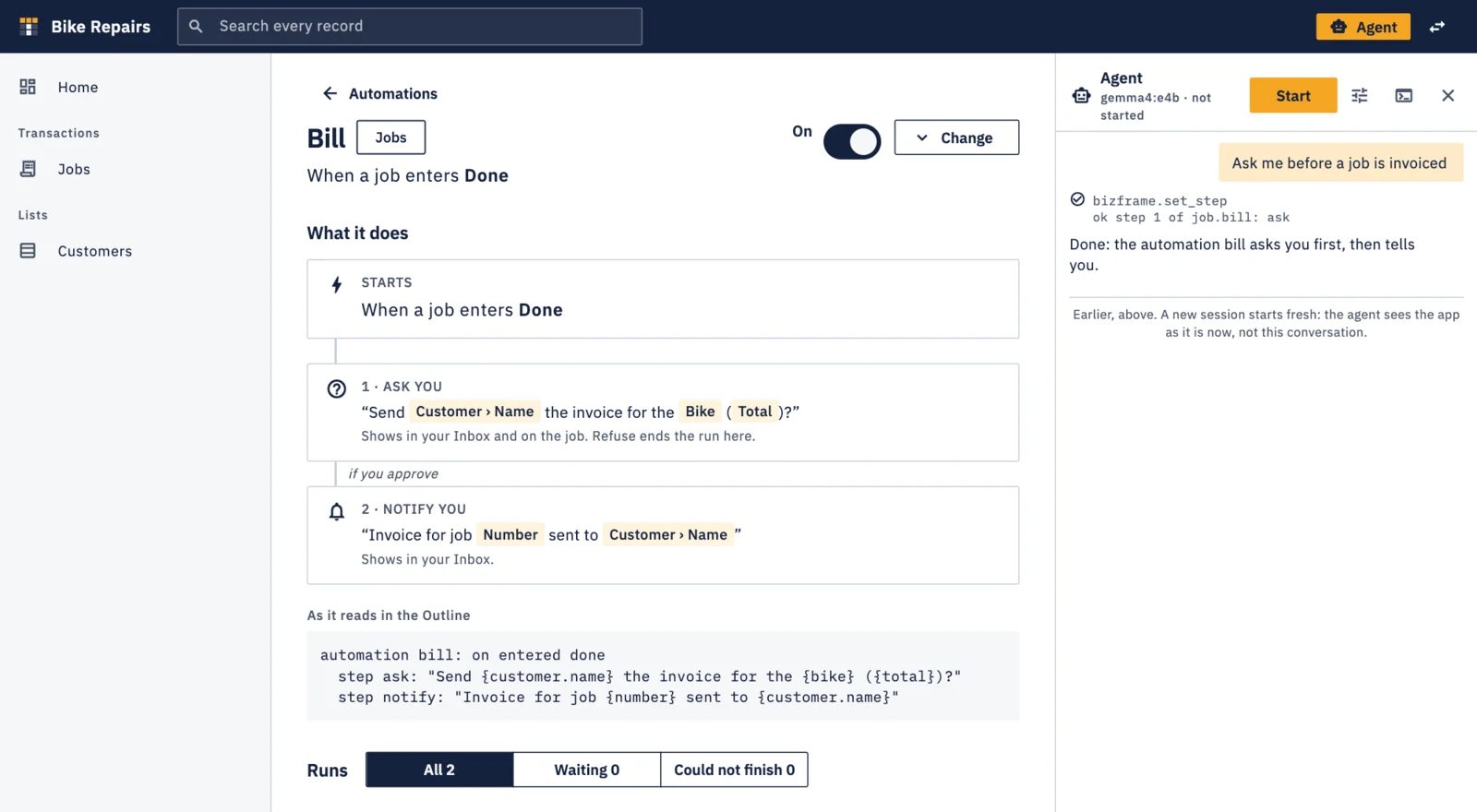
The agent sits beside your records. Ask for a new field, a different list, a chart on the home page or a step in an automation, and see it happen.
- Runs on a model server you choose, including small models on your own Mac
- A change that would empty data is never made without asking you first
- History shows what was asked, what changed and when, with undo
- The whole app can also be read and edited as plain text, in the Outline
Automations
It asks before it acts.
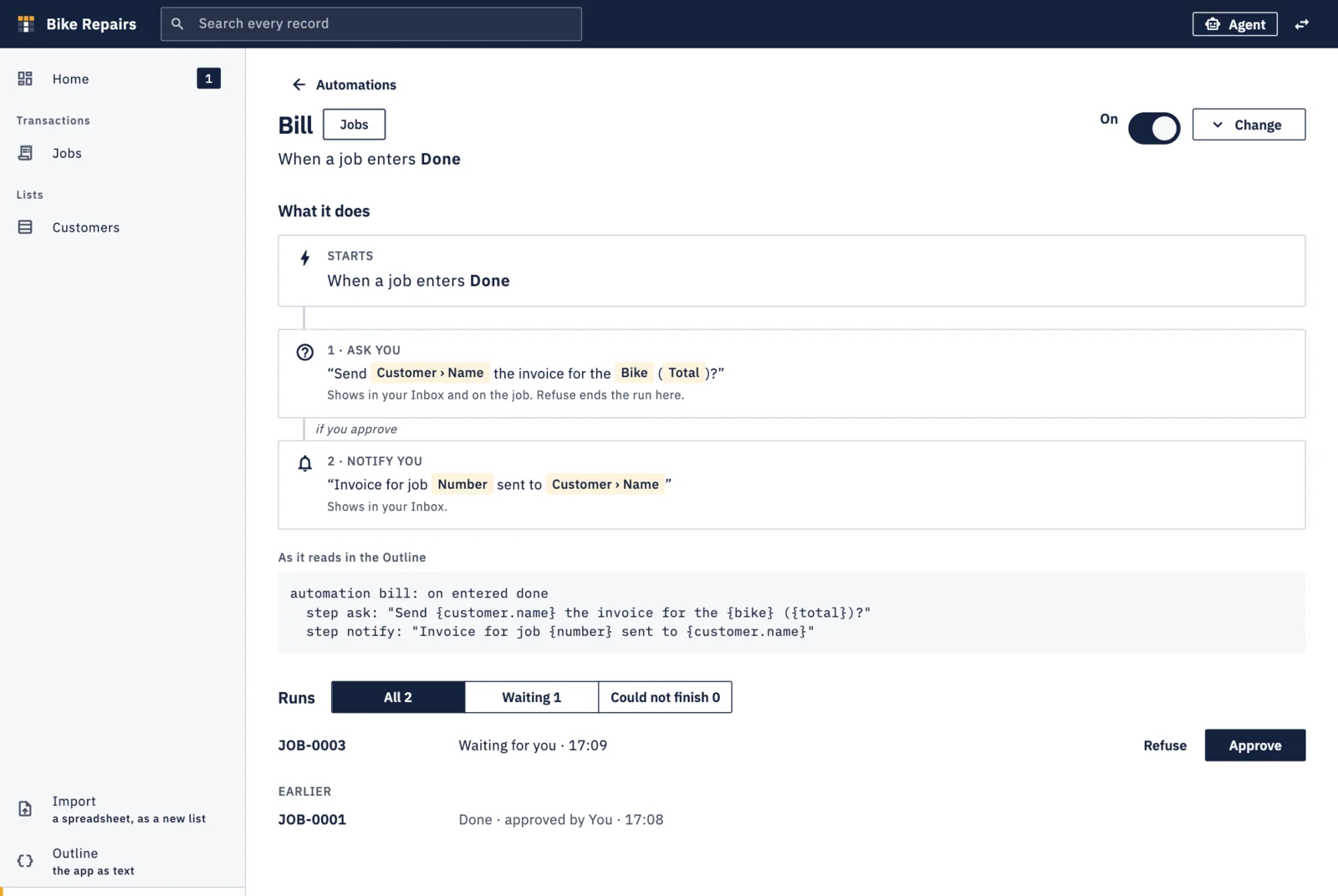
An automation starts when something happens to a record, such as a job being done, or on a schedule. It can tell you something, or stop and ask, and it waits for your answer.
- Questions wait in your inbox and on the record they are about
- Each automation reads as plain steps, not a diagram you have to decode
- Every run is listed: done, waiting for you, or could not finish
- Notes and answers stay with the record as its discussion
What it is for
Not one kind of business. Yours.
Tabulata is general-purpose. If you would otherwise keep it in spreadsheets, a notebook or your head, you can build an app for it.
| For | You might keep | And have it |
|---|---|---|
| A shop or workshop | customers, jobs, job lines, products | ask before a finished job is invoiced |
| A property portfolio | properties, tenancies, payments, repairs | list what is due this month |
| Your own records | books, loans, subscriptions, warranties | remind you what is out or about to renew |
| A club or society | members, dues, events, attendance | show who has not paid |
These are examples of what you could describe, not templates that ship with the app.
Your data
Everything stays on your Mac.
There is no Tabulata account and no Tabulata server. We never see your apps, your records or what you say to the agent.
One folder per app
Each app is a folder on your disk holding its records and files. Copy it to back it up or move it.
No account
Nothing to sign up for, and no telemetry, analytics or crash reporting in the app.
Your choice of model
Use a model running on your own Mac and nothing leaves it. Or point Tabulata at a service you trust.
Nothing is lost quietly
Changes are journalled and can be undone. What a change removes goes to the archive, with its data.
The details are in the Privacy Policy.
Editions
Free on your own. Paid when you share.
Local
Free during the beta
Everything one person does on their own Mac. This is the edition in the beta.
- The agent, on any model server you name
- Records, files, lists, boards and home-page figures
- Automations, questions and answers
- History, undo and the archive
- No limit on apps, records or automations
Workgroup
Later · paid
For several people working in the same app. It is not available yet, and its price is not set.
- Everything in Local
- People, roles and questions put to a role
- Records and changes kept in step between people
Download
Get Tabulata
You also need a model server. Tabulata's agent talks to a language model that you provide: Ollama or LM Studio running on your Mac, or any service with an OpenAI-compatible address. Tabulata is designed to work with small models that run on your own machine.
FAQ
Questions
What does “beta” mean here?
Tabulata works, but it is not finished. Parts of it will change, and it may have faults, including ones that lose data. Keep copies of any app folder you care about. During the beta Tabulata is free.
Do I need to know how to program?
No. If you are comfortable with a spreadsheet and the idea of a table, you can build an app. You describe your work, and you can always see what the agent did and undo it.
Does the AI write code?
No. The agent can only make a small set of moves, such as adding a table, a field, a status or a rule, and Tabulata checks each one before accepting it. The app on screen is drawn from those facts. This is why a small model can build something that works, and why every change can be undone.
Which models does it work with?
Any model served by Ollama or LM Studio, or by a service with an OpenAI-compatible address. You choose the server and the model in the agent's settings. Tabulata is designed for small models that run on your own Mac. Larger models work too.
Where is my data?
In a folder on your Mac, one per app, wherever you chose to create it. It holds the app's records in a database file and the files you attached. Tabulata has no server, so there is no copy anywhere else unless you make one.
Does anything leave my Mac?
Only what you send to the model server you chose. If that server runs on your Mac, nothing leaves it. If you point Tabulata at a service on the internet, what the agent reads goes to that service: your requests, the structure of your app, and records or documents the agent is asked to look at. The Privacy Policy sets this out.
Can the agent damage my records?
It is built not to. A change that would empty values is not made: it is held as a question for you to allow or refuse. Each change is journalled, what is removed goes to an archive with its data, and a turn can be undone from the history. It is still beta software, so keep backups.
What does it cost?
The beta is free. The Local edition, for one person on their own machine, is the one in the beta. A paid Workgroup edition for several people sharing an app is planned; its price is not set yet.
Is there a Windows, Linux or phone version?
Not yet. The beta is for macOS only.